Showing posts with label chrome os. Show all posts

Tuesday, March 4, 2014

Buying Chromebooks for their Hardware, not their OS

I've kind of been on a Chromebook kick lately. Last month I posted a review of the Acer C720 I picked up recently, to summarize: I really love the device.

I think computers like Chromebooks are the way of the future, but not because of their operating system - because of their hardware. Relatively low cost laptops with SSDs for storage and an insane battery life are everything I want in a computer.

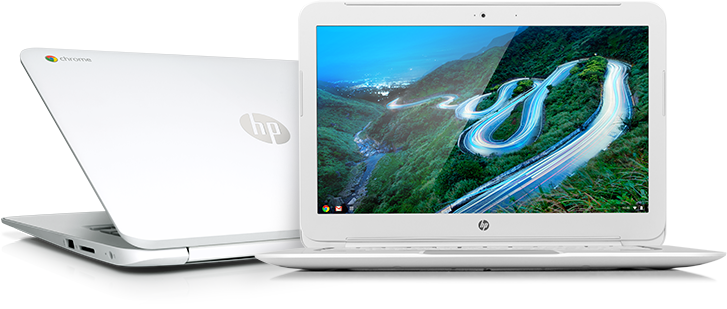
I liked the hardware specs of the Acer C720 so much, I've decided to replace not only my old netbook with a Chromebook - but I've replaced my primary work laptop with one as well. I picked up an HP 14" Chromebook this past weekend which has identical hardware specs to the Acer C720, while providing an even longer battery life:

Since I started posting about these laptops and my work with Bodhi Linux on them I've had piles of Linux users ask me why I am buying Chromebooks with the intent of running something other than ChromeOS on them.

This question is VERY hypocritical.

Some even go so far as to recommend "traditional" laptops that would have been a better choice. Guess what operating system these traditional laptops come with? You guessed it: Windows! Buying a Chromebook with the intent of installing a different Linux distribution on it is no different than purchasing a Windows laptop with the same intention.


Well, I guess it is a small bit different. You see - when I buy a Chromebook not only am I not paying a Windows tax for my hardware, but I am getting a laptop with a sleek form factor that gets an amazing battery life. To get these things from a Windows PC you generally have to pay a giant premium.

In closing, if you are in the market for some sleek Linux hardware at a low cost I would highly recommend checking out the Acer C720 or the HP 14" Chromebooks.

Cheers,
~Jeff Hoogland

Friday, December 7, 2012

HOWTO: Start an SSH Session from ChromeOS

My lovely fiance knows how much I love my toys and opted to get me one of the new ARM based Chrome books as an early Christmas present. I'd been talking a lot about the device because the hardware on it is fairly fantastic for the 250$ price tag it comes with. At any rate - I'll be writing up a full formal review of the device at a later date (once I have had a chance to use it more). I also plan to create Bodhi ARM images for the device once time permits.

Until I have time to get Bodhi running on the device though I am stuck with ChromeOS - which while interesting leaves some to be desired. At the very least I need my operating system to have a web browser and a ssh connection - the former ChromeOS provides very obviously (the whole OS is one giant web browser). Getting an SSH connection from the device was not as straight forward however. I started by searching for a terminal emulator on the Chrome Web Store. As you can see - there are a few options there, but none of them would successfully open a ssh connection to my build servers from my Chrome Book.

A little bit off searching on the Linux answer machine yielded me a proper solution from the comment section of a posting. To get a SSH connection on ChromeOS you do not need to add any software! Pressing the key combination:

ctrl+alt+t

Will open a browser based terminal emulator called "crosh" in a new tab of your browser on ChromeOS. Now my build servers are accessed from a non-default ssh port. On any Debian based operating system I would use the following to connect:

ssh -p username@myserveraddy.com

The ssh client on ChromeOS doesn't seem to like the -p argument for a port number though. I found two ways to connect to a ssh server using a different port number. The first is simply:

ssh username@myserveraddy.com

The second is a whole lot less intuitive. In order you type:

ssh
host myserveraddy.com
user username
port  
connect

Have fun sshing from ChromeOS!
~Jeff Hoogland